AvatarSay

Talking cartoon maker

Make a cartoon character talk

Create an original cartoon character from a sentence, type what it should say, pick a voice, and get an MP4 where the face and mouth move with the speech. No photo, no webcam, no drawing.

12 credits per second Eligible accounts can get a first clip free, up to 5 s and 75 characters, while limited availability lasts No photo upload

A 10-second clip is 120 credits, about $1.77–$2.38 depending on the pack. See the full price table.

Create a talking video

1. Choose a character

Private by default

/ Describe the person, not the style.

0 / 500
Style

No card needed · 30 free credits · Private by default

Free credits make standard sets (4 credits). After your first purchase every set uses the HD model (6 credits). Both are 1024×1024.

Example output

1024 px
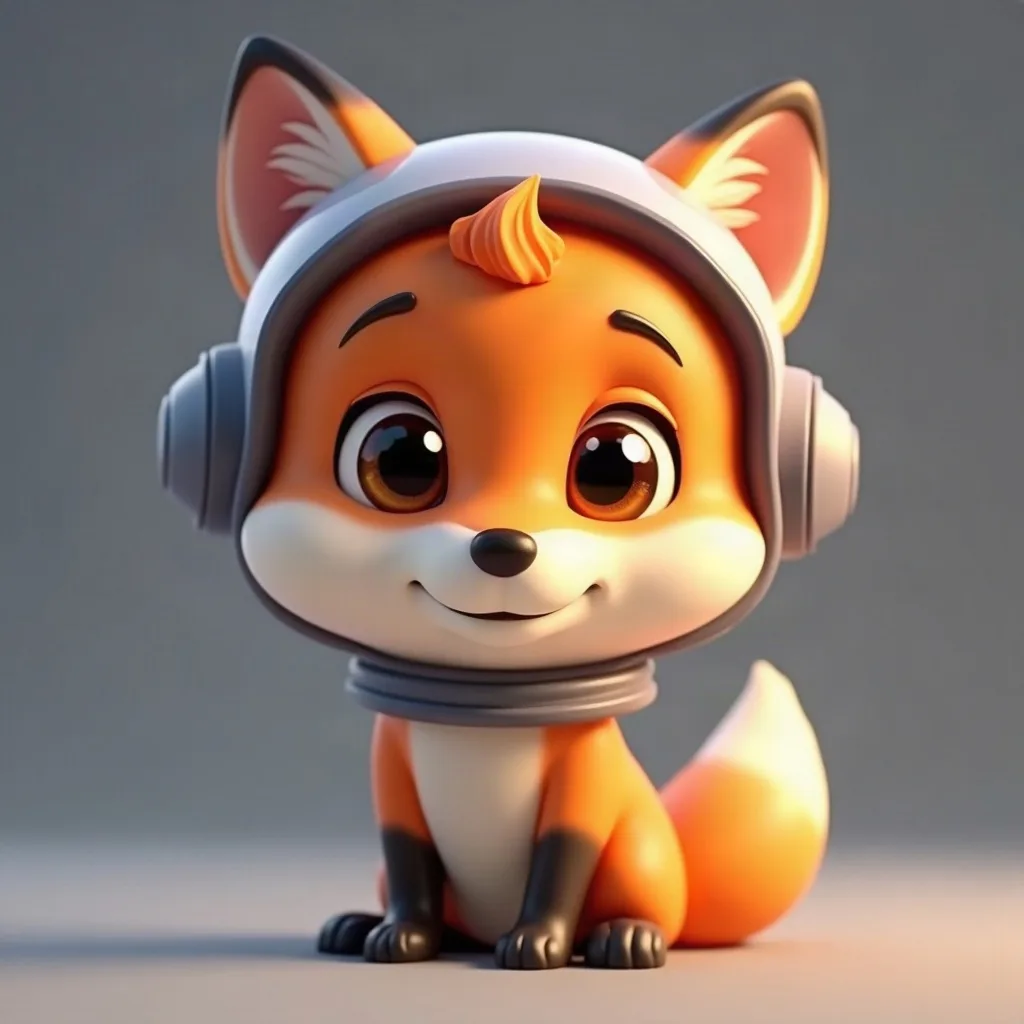
Avatar example in 3D Cartoon style: a friendly fox astronaut with a tiny helmet
a friendly fox astronaut with a tiny helmet

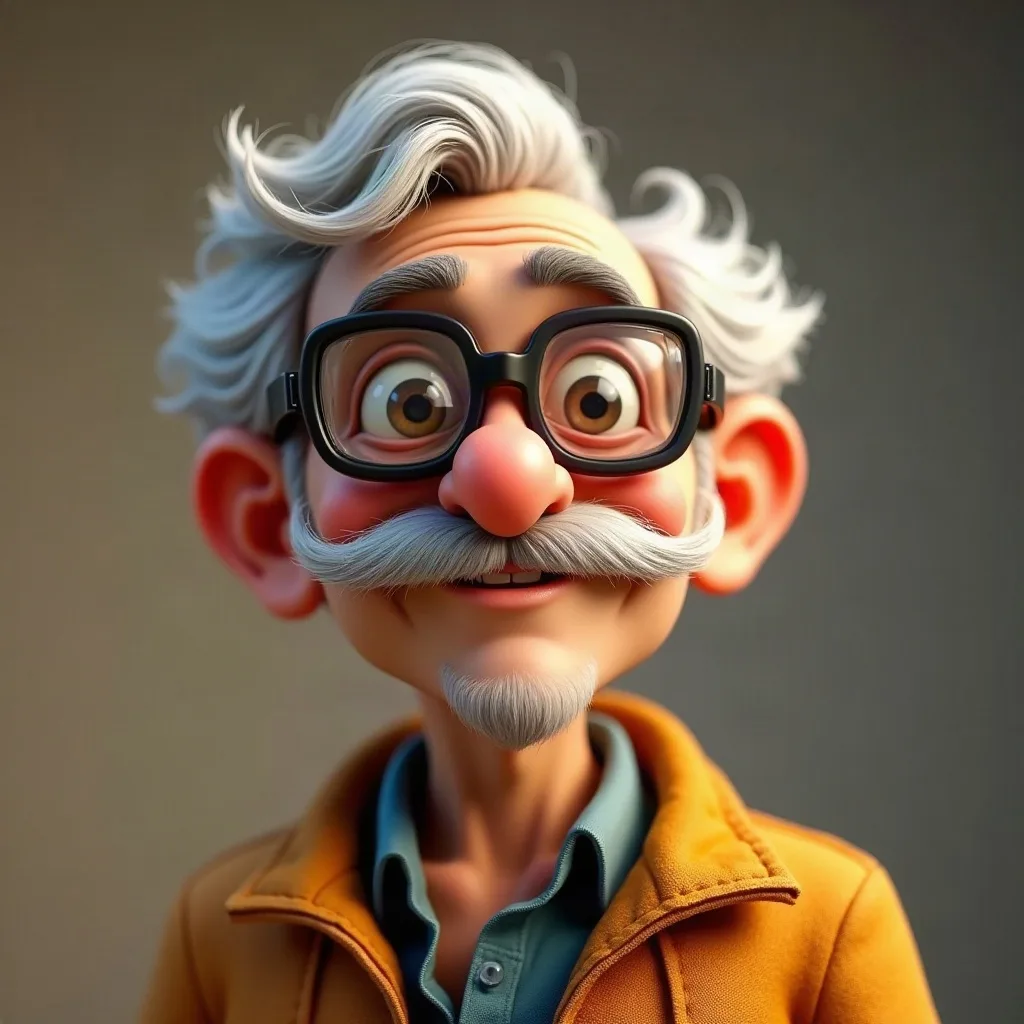
Avatar example in 3D Cartoon style: a grandpa inventor with goggles and a bushy mustache

a grandpa inventor with goggles and a bushy mustache

2. Write the script

0 / 400
≈ 5 s Short sentences sound better.

Pick or create a character in step 1 — the Create button unlocks once a character and a voice are chosen.

3. Pick a voice

8 voices

All 8 voices speak English. No voice cloning.

Estimated ≈ 5 s · 60 credits · ≈ $0.89–$1.19

final cost is based on the actual audio length

Short clips typically take 3–5 minutes (longer clips 9–14 min). You can leave this page while it finishes.

From a description to a talking fox

One operator test using a Standard image and the free first clip. Results and waiting times vary; audio quality and lip sync were not independently evaluated.
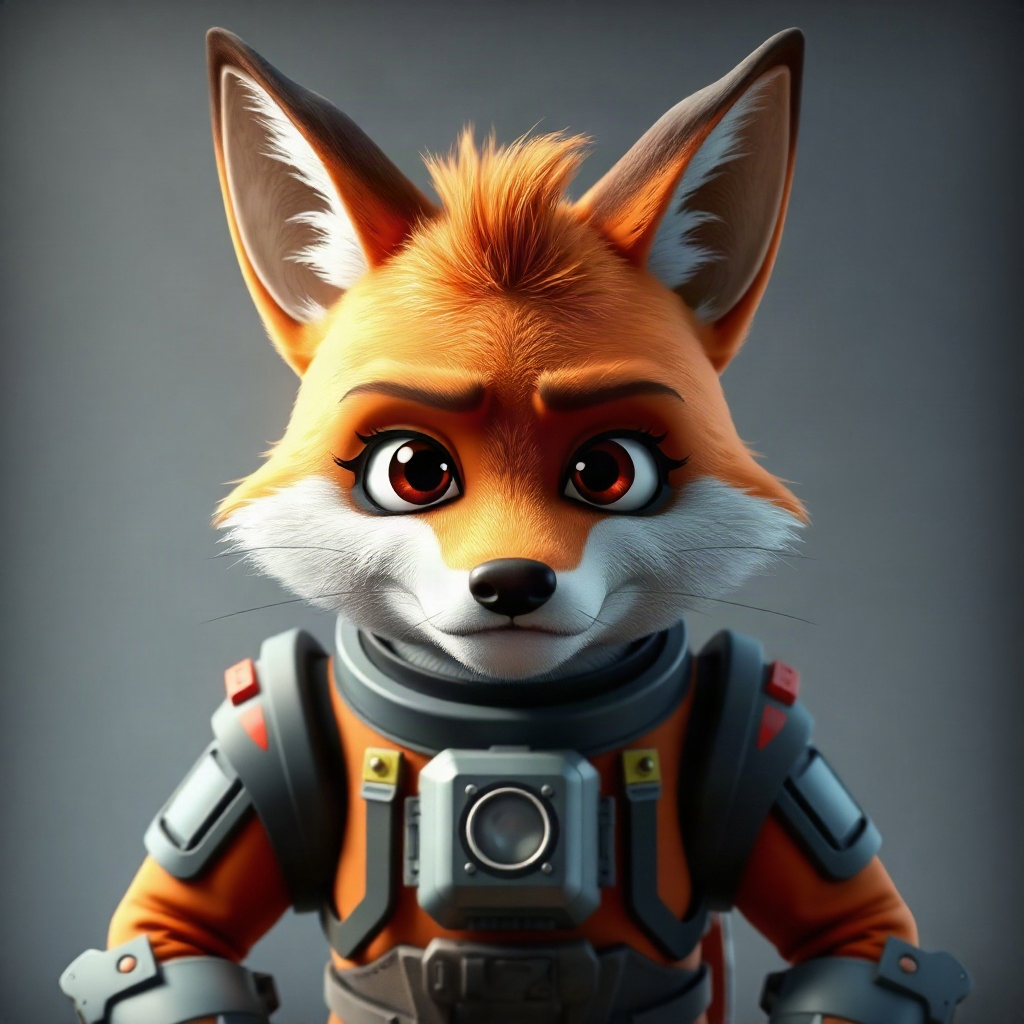
The selected Standard image of a fox spaceship captain

Selected Standard image

Unedited output · 2.93 seconds · Open MP4

Character prompt
A nervous fox spaceship captain, facing forward, with a visible mouth and a simple background
Style and line
3D Cartoon, Standard · “Welcome aboard. Try not to press that.” · Friendly voice
Cost and timing
The image pair cost 4 credits; the first clip used the free offer. This single video task took 3 minutes 32 seconds from server creation to success, not a typical or guaranteed wait. One video attempt, no retry.

New accounts receive 30 credits, which can be used to create images. Separately, accounts that have never purchased credits may receive one free first clip of up to 5 seconds and 75 characters, subject to the limited launch allocation and daily and IP limits. Availability is shown in the studio; longer spoken audio may not qualify.

AvatarSay creates new fictional characters from text. It cannot animate an uploaded photo or an existing character image.

From one sentence to a downloaded MP4

A real run on this page: describe a character, pick one of the two images, write the line, choose a voice, create the video, play it and download it. The clicks and typing are at real speed. The render wait is cut and marked with a caption on screen; everything else is as it happened.

What a talking cartoon includes

What you get

  • An original character made from a text description — 3D cartoon, anime, pixel art, watercolor and more
  • 8 preset English voices you can preview before rendering
  • Face and mouth animated in sync with the speech
  • A downloadable MP4, 5–30 seconds, up to 400 characters of script

What you don't get

  • Full-body motion, walking or gestures you direct — it is a talking head (the model may add small natural movement)
  • Uploading an existing character image or a photo
  • Voice cloning or lip-sync to your own recording
  • Two or more characters in the same video
  • Clips longer than 30 seconds

Four cartoons, four styles

Real AvatarSay output: each face was generated from the prompt under it, then turned into a talking video. Each clip is 3–4 seconds; the free first clip on a new account can run up to 5. Turn the sound on.

3D Cartoon 3 s

a friendly fox astronaut with a tiny helmet

Anime 4 s

a red-haired girl with round glasses, cozy green sweater, soft smile

Pixel Art 3 s

a knight with a blue plume and a crooked grin

Watercolor 3 s

a girl with a straw hat and freckles in a sunlit garden

Full-length examples, unedited

Four ~15-second clips and one ~30-second mascot, rendered with the same voice and animation models the product uses. Nothing was edited: no cuts, no music, no replaced audio — only compressed and scaled to 720×720 for this page. Under each clip: the prompt that made the face, the full script, the voice, the measured length, and what it would cost.

See a same-prompt test against KreatorFlow and Dreamina — same character and line, with different models and voice choices.

3D Cartoon
Prompt
a curly-haired girl in a yellow raincoat
Script
“Hi! I am Juniper, and yes, this raincoat is my whole personality. Today I am testing every puddle on my street, ranking them from tiny splash to total disaster, and reporting back to you. Stay dry, or do not. Your call.”
Voice
Lively Girl
Length
17.3 s (speech 15.4 s; the animation runs on briefly after it)
Cost
192 credits ≈ $3.80 at Starter pack rates, for 16 s of speech (see prices)
Anime
Prompt
a red-haired girl with round glasses, cozy green sweater, soft smile
Script
“Welcome to study hour. Put your phone face down, open your notes, and let us take this one chapter at a time. Twenty-five minutes of focus, then a five-minute break. I will be right here the whole time, so you are not doing this alone.”
Voice
Calm Woman
Length
17.3 s (speech 15.3 s; the animation runs on briefly after it)
Cost
192 credits ≈ $3.80 at Starter pack rates, for 16 s of speech (see prices)
Pixel Art
Prompt
a wizard frog with a starry hat
Script
“Greetings, traveler. I am Professor Ribbit, keeper of the starry hat. Long ago I studied the ancient art of turning flies into fireworks. Today I teach it to you. Lesson one: never, ever eat your homework.”
Voice
Deep Voice
Length
14.7 s
Cost
180 credits ≈ $3.56 at Starter pack rates, for 15 s of speech (see prices)
Watercolor
Prompt
a girl with a straw hat and freckles in a sunlit garden
Script
“Hello from the garden! The tomatoes are finally red, the bees are very busy, and I have eaten more strawberries than I planted. Come by on Saturday morning, bring a big basket, and take home anything you can carry. Really, anything.”
Voice
Warm Woman
Length
15.2 s
Cost
192 credits ≈ $3.80 at Starter pack rates, for 16 s of speech (see prices)
3D Cartoon mascot
Prompt
a shy robot with big round eyes and a flower
Script
“Hello, I am Bolt, the little robot who looks after this shop. Thanks for stopping by. Here is how it works. Pick something you like, tell me your size, and I will pack it carefully, with a small flower on top. Orders ship in two days. If anything goes wrong, reply to your order email and a real person will help.”
Voice
Patient Man
Length
29.1 s
Cost
360 credits ≈ $7.13 at Starter pack rates, for 30 s of speech (see prices)

What you download

Measured on raw output files on November 6, 2026. The example clips on this site are scaled down to 720×720 for faster loading; the file you download is the original.

File format
MP4 — H.264 video with AAC audio
Frame size
960×960 pixels, square (1:1). There is no vertical or widescreen option: for a 9:16 Short, Reel or TikTok, place the square video on a taller canvas and fill the space above and below in your editor.
Frame rate
30 fps
Length
5–30 seconds per paid clip, charged by the measured speech length rounded up to the next second. A new account's free first clip is up to about 5 seconds while the launch offer lasts.
Script
Up to 400 characters
Voices
8 built-in text-to-speech voices, English only. No voice cloning.
Render time
Short clips (3–5 s) usually finish in 3–5 minutes (3 min 32 s on our November 12 free-clip test; ~5 minutes on November 6), and 15–30-second clips took 9–14 minutes.
Watermark
None. We checked frames from raw output files: no logo, text or watermark.
Commercial use
Allowed, subject to the Terms of Service, section 7 and the Acceptable Use Policy.

How to make a cartoon talk

Three steps: a fictional face, a line of speech, and one of the built-in voices.

01

Create the cartoon

Describe the character and pick 3D Cartoon, Anime, Pixel Art or Watercolor. Front-facing characters with a visible mouth animate best.

02

Write the line

Up to 400 characters. Short sentences sound better. The first clip on a new account is free — up to ~75 characters, about 5 s — while the launch offer lasts.

03

Pick a voice and render

Choose one of 8 voices and preview it before you commit. Short clips usually finish in 3–5 minutes (longer clips 9–14 minutes), the result downloads as an MP4, and failed renders are refunded automatically.

Cartoons that talk well

The talking video moves the face and mouth. These four details give it the most to work with.

Face the camera

A front-facing character gives the animation a clear mouth to work with. Profile shots and turned heads have much less to move.

Keep the mouth clear

No masks, no scarves over the chin, no hands in front of the face. The mouth has to be visible in the source image.

One character per image

A talking video animates one face. Group scenes and multiple characters are not supported.

Plain background

A simple background keeps attention on the face and avoids visual noise around a head that stays mostly still.

Ways to use a talking cartoon

More use cases
  • A channel intro or outro

    You can let a recurring character say the same short line each time.

  • A mascot for a small brand or community

    You can give a small brand or community one face that greets people in a post or pinned video.

  • A character greeting for a stream or Discord welcome

    You can make a short hello that fits in a few seconds.

  • A quick explainer line for a short video

    You can introduce a topic with one sentence from a character instead of a voiceover.

A few honest limits

  • Up to 30 seconds. Longer scripts are not supported in this version.
  • Talking head, not full animation. The face and mouth move. No walking, no gestures, and no lip-sync to your own recording.
  • Original characters only. No photo upload, no real people, no existing cartoon characters.
  • AI-generated. Disclose it where the platform or your audience expects it.

Before you render

Still stuck? support@avatarsay.com reaches a person, usually within one business day.

How do I make a cartoon talk?
Create a cartoon character from a text description, click Use this one under the result you like (all on this page), type what it should say, pick one of the 8 voices, and render. The output is an MP4 you can download. It is a talking head: the face and mouth move, not the whole body.
Can I make a cartoon of myself or someone I know talk?
No. Photo uploads and real people are not supported — not you, not someone you know, not a public figure. The character has to be fictional and generated on AvatarSay from a text description.
Is it free?
New accounts get 30 free credits, and a standard pair of cartoon images costs 4 credits. A first talking clip is free on an account that has never bought credits: up to about 5 seconds and 75 characters, while the launch offer lasts. After that, video is 12 credits per second with a 5-second minimum. Credit packs start at $9.90 — see pricing.
Can I use my own voice?
No. There is no voice cloning. You pick one of 8 built-in voices and can preview each one before rendering.
How long can a talking cartoon be?
Paid clips run from 5 to 30 seconds, and the final charge is based on the actual audio length. A script can be up to 400 characters. The free first clip is about 5 seconds, roughly 75 characters, while the launch offer lasts.
Can I animate an existing cartoon character?
No. Describe your own original character instead of naming one from an existing cartoon, game or film. Moderation may block named characters, and generated output should not be presented as official.

Your cartoon has something to say

Sign in to create

New accounts get 30 free credits for avatars, plus one free talking clip (up to 5 s / 75 chars) while the limited launch offer lasts. No card required — your prompt stays right where you left it.

One click. No password to remember.

By continuing you agree to our Terms and Privacy Policy.

A few more credits

This needs —. You have —. Pick a one-time pack and keep going.

Credits never expire · Secure checkout by Waffo